
Claude Messages Count Tokens API Application and Usage
The Claude Messages Count Tokens API can calculate the input token count of a message without actually creating the message, including the token count of tools, images, and documents. This is very useful when estimating costs or checking if the input exceeds the model's context limits.
This document mainly describes the usage process of the Claude Messages Count Tokens API.
¶ Application Process
To use Claude Messages Count Tokens API, first open the Ace Data Cloud Console and copy your API Token.
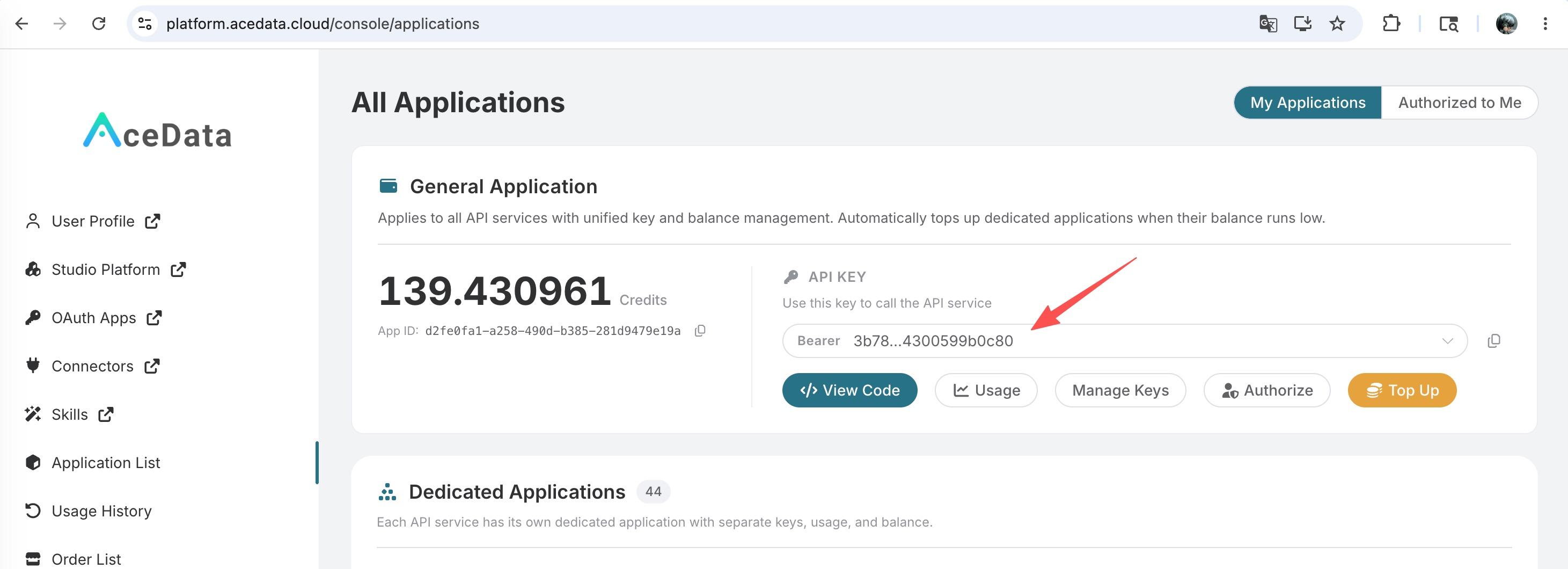
If you are not logged in, you will be redirected to sign in and brought back to this page automatically.
A single API Token works across every service on the platform — no need to subscribe per service. New accounts receive free starter credit; when it runs low you can top up your shared balance in the console.
📘 Full documentation: Claude Messages Count Tokens API →
¶ Basic Usage
The request path for the Claude Messages Count Tokens API is /v1/messages/count_tokens, consistent with the official Anthropic API. We need to provide at least two required parameters:
model: Choose the Claude model to use, such asclaude-sonnet-4-5-20250929,claude-opus-4-20250514, etc.messages: An array of input messages, each containingroleandcontent.
Common optional parameters:
system: System prompt, which will be included in the token count.tools: Tool definitions, which will be included in the token count.thinking: Extended thinking configuration.
¶ cURL Example
curl -X POST 'https://api.acedata.cloud/v1/messages/count_tokens' \
  -H 'accept: application/json' \
  -H 'authorization: Bearer {token}' \
  -H 'content-type: application/json' \
  -d '{
    "model": "claude-sonnet-4-5-20250929",
    "messages": [
      {
        "role": "user",
        "content": "Hello, Claude"
      }
    ]
  }'
¶ Python Example
import httpx

url = "https://api.acedata.cloud/v1/messages/count_tokens"
headers = {
    "accept": "application/json",
    "authorization": "Bearer {token}",
    "content-type": "application/json",
}
payload = {
    "model": "claude-sonnet-4-5-20250929",
    "messages": [
        {
            "role": "user",
            "content": "Hello, Claude"
        }
    ],
}
response = httpx.post(url, headers=headers, json=payload)
print(response.json())
Example of return result:
{
  "input_tokens": 11
}
¶ Using Anthropic SDK
The Claude Messages Count Tokens API is fully compatible with the official Anthropic SDK and can be called directly using the anthropic library.
from anthropic import Anthropic

client = Anthropic(
    api_key="{token}",
    base_url="https://api.acedata.cloud",
)

result = client.messages.count_tokens(
    model="claude-sonnet-4-5-20250929",
    messages=[
        {
            "role": "user",
            "content": "Hello, Claude"
        }
    ],
)
print(result.input_tokens)
¶ Token Count Including Tools
If your request includes tool definitions, these tools will also be included in the token count:
result = client.messages.count_tokens(
    model="claude-sonnet-4-5-20250929",
    messages=[
        {
            "role": "user",
            "content": "What is the weather in San Francisco?"
        }
    ],
    tools=[
        {
            "name": "get_weather",
            "description": "Get the current weather in a given location",
            "input_schema": {
                "type": "object",
                "properties": {
                    "location": {
                        "type": "string",
                        "description": "The city and state, e.g. San Francisco, CA"
                    }
                },
                "required": ["location"]
            }
        }
    ],
)
print(result.input_tokens)
¶ Token Count Including System Prompts
System prompts will also be included in the token count:
result = client.messages.count_tokens(
    model="claude-sonnet-4-5-20250929",
    system="You are a helpful assistant that speaks Chinese.",
    messages=[
        {
            "role": "user",
            "content": "Hello"
        }
    ],
)
print(result.input_tokens)
¶ Notes
- This API only calculates the input token count and does not produce any model output.
- The token count result can be used to estimate the cost of calling the Claude Messages API.
- The tokenization method may vary for different models, so please use the same model parameter as in the actual call.
- This API is completely free and does not consume any quota.