
Face Age Change API Integration Instructions
This document will introduce a Face Age Change API integration guide, which can change the age of a face in an image by inputting a picture and an age. The general usage is that users upload a face image, and based on face editing and generation algorithms, an image of the face appearing older or younger is output, supporting changes in the face's age.
¶ Application Process
To use Face Age Change API, first open the Ace Data Cloud Console and copy your API Token.
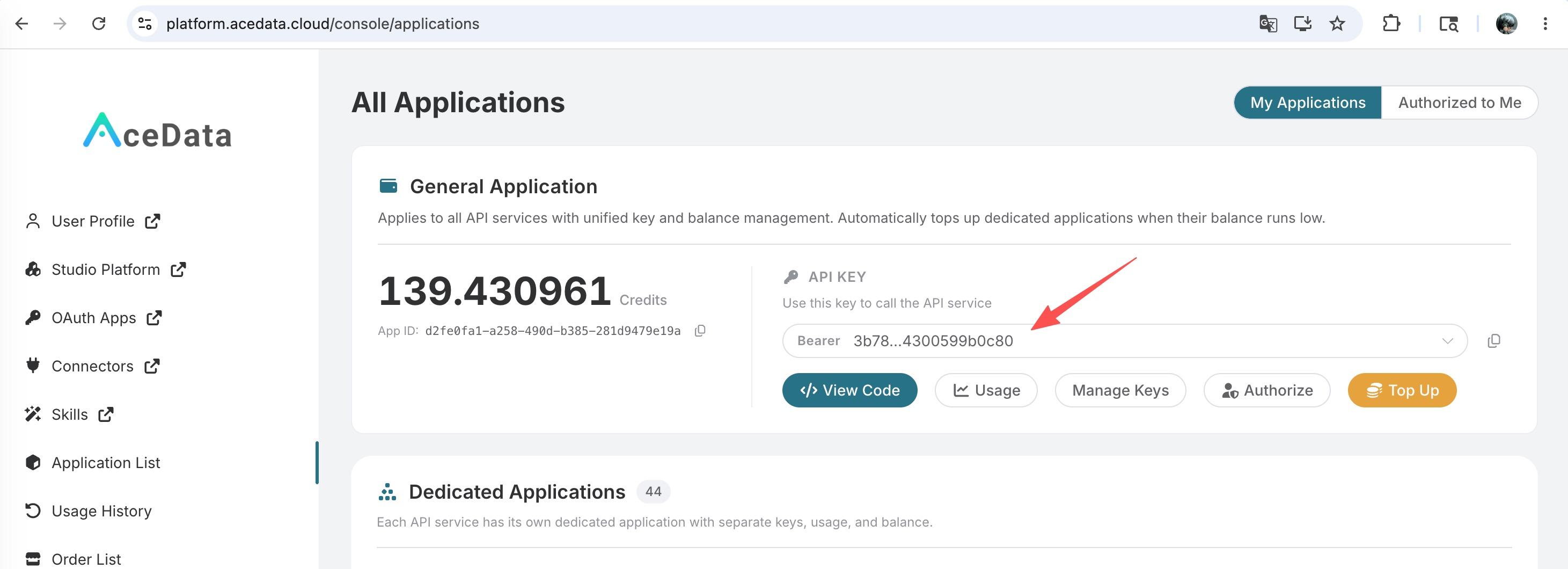
If you are not logged in, you will be redirected to sign in and brought back to this page automatically.
A single API Token works across every service on the platform — no need to subscribe per service. New accounts receive free starter credit; when it runs low you can top up your shared balance in the console.
📘 Full documentation: Face Age Change API →
¶ Basic Usage
First, understand the basic usage method, which is to input the image link and age information to obtain the processed result image. You need to simply pass an image_url field, with the face image shown below:

Next, we also need to upload the face age information parameter age_infos, which is an array, allowing us to pass multiple pieces of information. We can then fill in the corresponding content on the interface, as shown in the image below:
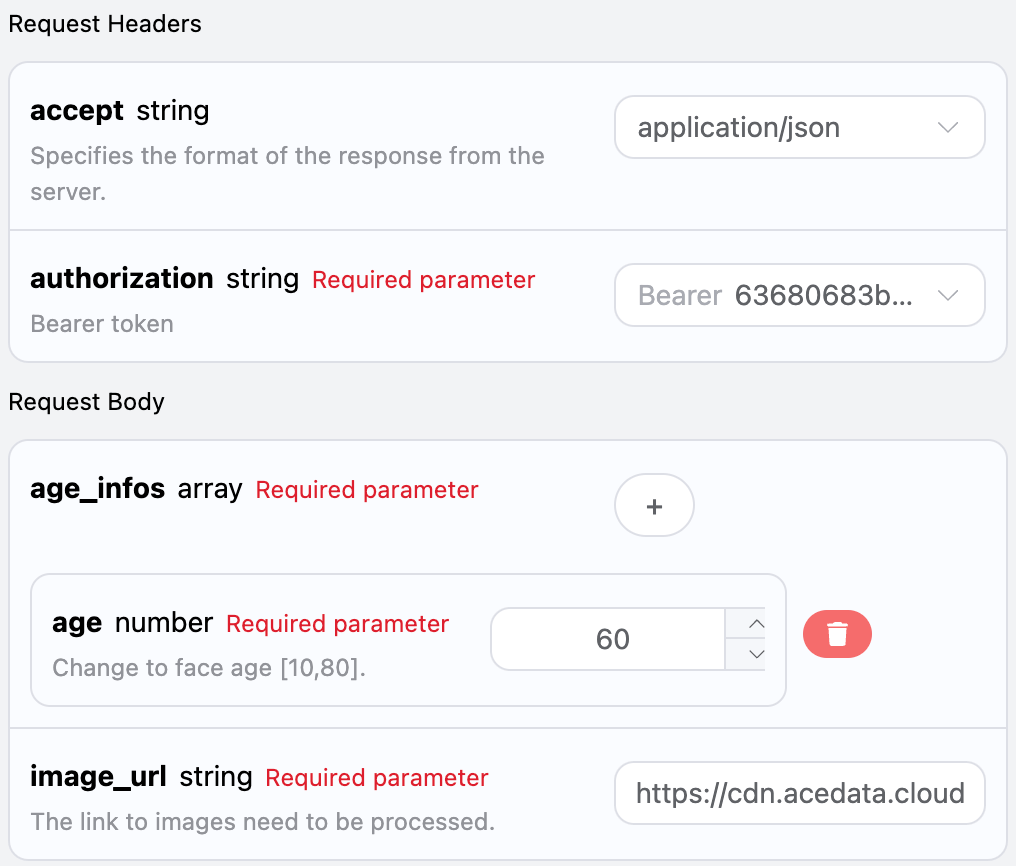
Here we can see that we have set the Request Headers, including:
accept: the format of the response result you want to receive, filled in asapplication/json, which is JSON format.authorization: the key to call the API, which can be directly selected after application.
Additionally, we set the Request Body, including:
image_url: the link to the face image that needs to be processed.age_infos: information about the face's age and region, where age is a required parameter.
After selection, you can find that the corresponding code is also generated on the right side, as shown in the image below:
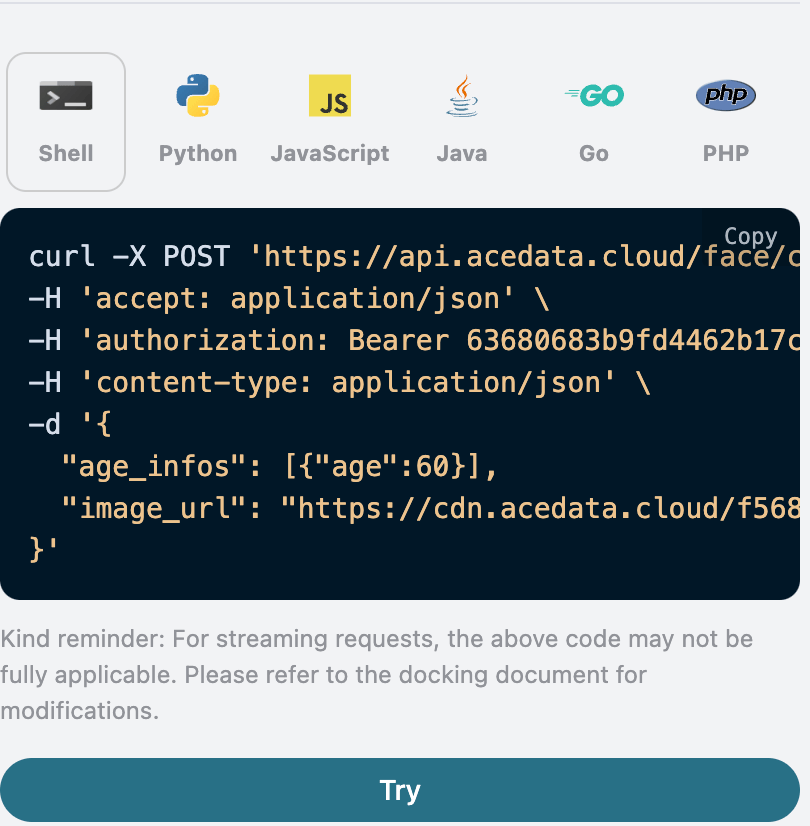
Click the "Try" button to conduct a test, as shown in the image above, and we obtained the following result:
{
  "image_url": "https://faceeffect-1254418846.cos.ap-guangzhou.myqcloud.com/ft/ChangeAgePic/1256437459/bfce1ab8-5fd7-464d-8878-b38433f84d0e"
}
As you can see, the returned result contains an image_url field, which is the face image after the age change based on the input. The changed face information is shown below:

It can be seen that the face in the image has changed according to the input age.
Additionally, if you want to generate the corresponding integration code, you can directly copy it, for example, the CURL code is as follows:
curl -X POST 'https://api.acedata.cloud/face/change-age' \
-H 'accept: application/json' \
-H 'authorization: Bearer {token}' \
-H 'content-type: application/json' \
-d '{
  "age_infos": [{"age":60}],
  "image_url": "https://cdn.acedata.cloud/f5687u.png"
}'
The Python integration code is as follows:
import requests

url = "https://api.acedata.cloud/face/change-age"

headers = {
    "accept": "application/json",
    "authorization": "Bearer {token}",
    "content-type": "application/json"
}

payload = {
    "age_infos": [{"age":60}],
    "image_url": "https://cdn.acedata.cloud/f5687u.png"
}

response = requests.post(url, json=payload, headers=headers)
print(response.text)
¶ Error Handling
When calling the API, if an error occurs, the API will return the corresponding error code and message. For example:
400 token_mismatched: Bad request, possibly due to missing or invalid parameters.400 api_not_implemented: Bad request, possibly due to missing or invalid parameters.401 invalid_token: Unauthorized, invalid or missing authorization token.429 too_many_requests: Too many requests, you have exceeded the rate limit.500 api_error: Internal server error, something went wrong on the server.
¶ Error Response Example
{
  "success": false,
  "error": {
    "code": "api_error",
    "message": "fetch failed"
  },
  "trace_id": "2cf86e86-22a4-46e1-ac2f-032c0f2a4e89"
}
¶ Conclusion
Through this document, you have learned how to use the Face Age Change API to change the age of a face based on the input image and age information. We hope this document helps you better integrate and use the API. If you have any questions, please feel free to contact our technical support team.